Purchase Price Group Query

This program lets you view rules defined against a Purchase Price Group, as well as the suppliers that are linked to that group.
Exploring
 Where it fits in?
This program lets you view rules defined against a Purchase Price Group, as well as the suppliers that are linked to that group.
Things you can do in this program include:
-
Locate Purchase Price Groups and inspect header policies and exception pricing.
-
Review linked Purchase Price Lists per group, including Priority, Status, effective date and price method.
-
View Suppliers linked to the Purchase Price Group.
This program is accessed from the Program List of the Syspro menu:
Program List > Purchase Orders > Purchase Pricing Engine
Terminology
Purchase Pricing engine
The Purchase Pricing Engine provides a simplified, single point of capture and maintenance for purchase prices, enabling configuration, data-driven supplier price lists, group-based pricing control and automated best-price selection at requisition and purchase order entry.
It extends the principles established by the Sales Pricing Engine to the Purchasing domain.
Purchase Price group
Purchase Price Groups link one or more suppliers to shared pricing rules (lists, exceptions, group-level policies) used to assign prices and discounts to a specific group of suppliers.
A Purchase Price Group can have multiple price rules, linked to price lists. The group is captured on purchase order headers and drives downstream price determination.
Purchase Price list
This indicates a dated collection of stock codes with prices, in a specified price basis (Stocking/Alternate/Purchase Price UOM)
A price method is specified for each price list, which may be a flat price (list price), a discounted price, or a quantity-discounted price.
You can define statuses against a Purchase Price List, such as Blank - Active, R - In review or H - On hold.
Only price lists that have a status of Blank - Active are included when the Purchase Price Query determines the best price.
Priority (0-9)
This indicates the ranking on the group-list link. 9 is highest and overrides the lowest computed price when valid.
Starting
Prerequisites
To use this program, the following setup option(s) must be configured appropriately:
Setup Options
Setup Options > Preferences > Distribution > Purchase Orders
Default pricing method for entry
Indicate the default pricing method to use during Purchase Order Entry. This can be based on the current inventory cost price (this defaults
to a pricing method of Manual when capturing a stocked
purchase order line if Activity Based Costing is required, or the order is
for a foreign currency supplier, or FIFO or LIFO costing is implemented), the
last price paid to the supplier, the purchase price defined for the
supplier
This must be defined as Purchase Price Group
This will enable the Purchase Pricing Engine behavior and exposes the Purchase Pricing Engine menu under the Program List.
Security
Groups
You can restrict operator access to programs by assigning them to groups and applying access control against the group (configured using the Operator Groups program).
Roles
You can restrict operator access to programs by assigning them to roles and applying access control against the role (configured using the Role Management program).
Configuring
The following configuration options in Syspro may affect processing within this program or feature, including whether certain fields and options are accessible.
Purchase Orders Preferences
Setup Options > Preferences > Distribution > Purchase Orders
Default pricing method for entry
Indicate the default pricing method to use during Purchase Order Entry. This can be based on the current inventory cost price (this defaults
to a pricing method of Manual when capturing a stocked
purchase order line if Activity Based Costing is required, or the order is
for a foreign currency supplier, or FIFO or LIFO costing is implemented), the
last price paid to the supplier, the purchase price defined for the
supplier
This must be defined as Purchase Price Group
Restrictions and Limits
- This program is read only, there are no add/change/deletes functions. Use Purchase Price Group Maintenance (Program List > Purchase Orders > Purchase Pricing Engine > Setup) to maintain groups.
- Displayed content reflects the current state of the Purchase Price Group Maintenance header, its linked Purchase Price List and linked suppliers after filters are applied.
Solving
Error messages
Purchase order setup pricing method
Cause
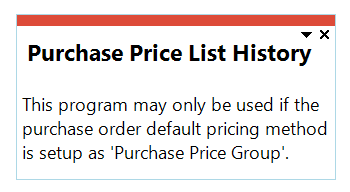
This message is displayed when you attempt to open this program before the Default pricing method for entry setup option has been configured.
Solution
Ensure that the Default pricing method for entry setup option is defined as Purchase Price Group within the Setup Options (Syspro Ribbon bar > Setup > Setup Options > Preferences) before attempting to use any of the Purchase Pricing Engine programs.
FAQs
Why is a linked Purchase price list displayed but not used in pricing?
The Purchase Price List status or start/expiry date excludes it. Open Purchase Price List Maintenance (Program List > Purchase Orders > Purchase Pricing Engine > Setup) to review the status and start/expiry dates. Only Purchase Price Lists with an Blank - Active status and date-valid Purchase Price Lists participates.
Why does the Purchase Price Group appears empty?
No lists are linked to the Purchase Price Group or your filters exclude them.
To link a Purchase Price List to a Purchase Price Group:
-
Ensure a Purchase Price List has been created using the Purchase Price List Maintenance program (Program List > Purchase Orders > Purchase Pricing Engine > Setup)
-
Ensure a Purchase Price Group has been created using the Purchase Price Group Maintenance program (Program List > Purchase Orders > Purchase Pricing Engine > Setup)
-
Define a Purchase Price List for the Purchase Price Group by selecting the Maintain Details icon within the Purchase Price Group Maintenance program.
-
Select the required filter options under the Purchase Price List Selection pane.
-
Link the required Purchase Price List.
-
Save your changes.
Using
Hints and Tips
-
Columns in a listview are sometimes hidden by default. You can reinstate them using the Field Chooser option from the context-sensitive menu (displayed by right-clicking a header column header in the listview). Select and drag the required column to a position in the listview header.
-
Fields on a pane are sometimes removed by default. You can reinstate them using the Field Selector option from the context-sensitive menu (displayed by right-clicking any field in the pane). Select and drag the required fields onto the pane.
The captions for fields are also sometimes hidden. You can select the Show Captions option from the context-sensitive menu to see a list of them. Click on the relevant caption to reinstate it to the form.
If the Show Captions option is grayed out, it means no captions are hidden for that form.
-
Press Ctrl+F1 within a listview or form to view a complete list of functions available.
Referencing
Purchase Price Group
This lets you enter or select a unique Purchase Price Group code.
 Purchase Price Group Header
| Field | Description |
|---|---|
|
Purchase price group |
This indicates the unique price group code selected. |
|
Description |
This indicates a unique description for the price group. |
|
Exception pricing method |
This indicates an alternative price suggestion if a stock code does not exist on any Purchase Price List for this Purchase Price Group. The following options exist: Current inventory cost
Uses the current unit cost of the stocked item as the fallback purchase price. This defaults to Manual when a stocked PO line requires Activity Based Costing, or the supplier is in a foreign currency, or FIFO/LIFO costing is in implemented. Last price paid to supplier
Applies the most recent purchase price recorded for the same supplier-stock code combination. Purchase price
Applies the default purchase price held against the supplier-stock code record. Manual
Requires the operator to capture the price manually at entry time. This is subject to Operator Activities and eSignatures permissions. Operator Activities
eSignatures
None
No fallback is applied when no valid list price exists. Pricing then fails over to manual only if the operator is permitted. |
|
Order vs. minimum order quantity action |
This will govern the action required when a Purchase Price List has a Minimum Order Quantity greater than the Order quantity, and this Purchase Price List is selected in Requisitions or Purchase Orders.
|
|
Order vs order quantity multiple action |
Governs behavior when a selected price list's Order multiple does not match the line Order quantity.
|
Linked Supplier
| Field | Description |
|---|---|
|
Supplier |
This indicates the supplier code linked to the Purchase price group. |
|
Name |
This indicates the supplier description. |
|
Currency |
This indicates the supplier default currency. |
Purchase Price List Listview
| Field | Description |
|---|---|
|
Purchase price list |
This indicates the unique Purchase Price List selected. |
|
Description |
This indicates the description of thePurchase Price List |
| Price basis |
This indicates the unit of measure on which the entire price list is based:
|
|
Price Method |
Read only field indicating the selected Exception pricing method |
|
Currency |
Read only field indicating the Purchase Price List currency. |
|
Start date |
Read only field displaying from the Purchase Price List header to indicate Start date The Purchase Price List start and expiry dates drives the price selection. This date is used to filter on price lists that's valid within in specific date range to simplify the selection of Purchase Price List within the Purchase Price Group Maintenance program.
|
|
Expiry date |
Read only field displaying from the Purchase Price List header to indicate Expiry date |
| Priority | Sets the selection precedence for this list within the group. 9 indicates the highest priority and overrides the computed lowest price when the list is valid. |
| Quote date | This field is used for documentary purposes only. |
| Price list status |
This indicates the Purchase price list status. Blank - Active
This lets you activate a price list so that it will be included when the Purchase Price Query determines the best price. When the effective dates of a price list have lapsed, the status of that price list remains as Blank - Active, however it is not longer considered when determining the best price.
H - On hold
This lets you deactivate a price list. A price list with this status won't be considered when determining the best price. R - In review
This lets you revise and modify a price list. A price list with this status won't be considered when determining the best price. |
Copyright © 2026 Syspro PTY Ltd.